

A Customer Guide to Drying Equipment
How to use the drying equipment installed to dry your property
If you have suffered water damage to your property, there may be a lot of information for you all in one go. Here is a useful guide to refer back to on how to use the drying equipment in your home.
Dehumidifiers
We use Dri-Eaze dehumidifiers and depending your property you may have either a DrizAir 1200 or a very similar DrizAir 1800.
The control panel on the dehumidifier looks like this:
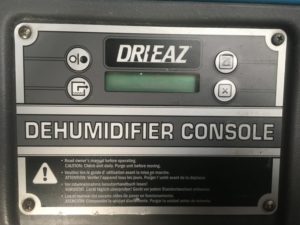
1 – ON-OFF.
Press the ON-OFF key to turn the unit on or off. When turning the machine on, usually the display reads CMPRSR DELAY and performs a numeral count down from a maximum of 60 seconds to 0.
The compressor delay gives the machine time to warm up (when needed). If you don’t see a compressor delay countdown, the machine is ready to go. Once the unit completes the CMPRSR DELAY, the display reads DEHUMIDIFIER ON, and continues to cycle between TOTAL HOURS, JOB HOURS and DEHUMIDIFIER ON.
Press the ON-OFF key again to turn the unit off. The display will read DEHUMIDIFIER OFF.

2 – DISPLAY.
This is used to monitor how many hours the machine has been running for. Customers do not usually need to press this button.
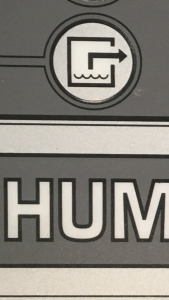
3 – PURGE.
Press the PURGE key to empty water from the pump reservoir. During normal operation, the pump purges automatically every six minutes, or whenever the reservoir is full. The display will read PUMP PURGING with a numeral countdown. To purge the pump manually:
- Turn the power off using the OFF key, and let the unit sit plugged in for about 10 minutes. This allows water to drip from the coils and collect in the drip pan.
- Press PURGE to remove residual water.
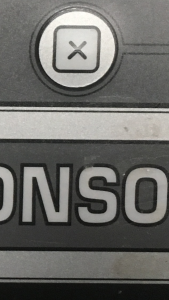
4 – CLEAR.
Customers use of dehumidifiers does not require this button to be pressed.
Error Messages
If the Dehumidifier’s onboard diagnostics discover a problem, the unit will display ‘GET SERVICE’ followed by ‘ER’ and a numeral from 01 to 09. If this message appears, first follow these steps:
- Unplug the unit and then plug it back in. This may re-set the electronics.
- If the error message reappears, try the solution (if one is listed) below
ER 1, 2, 3, 4, 5 or 6 |
Please contact Rainbow International on 01524 399 13 |
ER 8 |
Check the control panel keys. Press and release each key several times. |
ER 9 |
Check for obstructions or kinks in the drain hose.3. If the error message still appears, please turn off the equipment and contact us on 01524 399 13 for further assistance |
If the error message still appears, please turn off the equipment and contact us on 01524 399 13 for further assistance.
Moving a Dehumidifier
If you need to move a dehumidifier please purge the machine, by following the instructions above, then turn it off and move if safe to do so. If you move a dehumidifier without purging it, it may leak water from the collection tray.
Air Movers
We mainly use Sahara Pro X3 TurboDryers and Ace TurboDryer
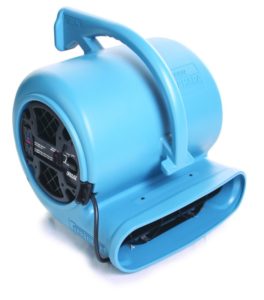
The Sahara has three speed settings, when our technicians install the equipment they will advise you which setting to run this on in your property. If you need to turn the air mover off please turn the switch to OFF, when you are ready to turn it back on turn the switch to the number setting as advised by your technician. If you have any problems with an air mover please turn it off and contact us on 01524 399 13.
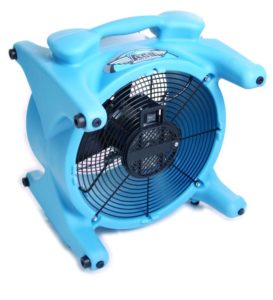 The Ace TurboDryer has two speed and an off setting. When our technicians install the equipment they will advise you which setting to run this on in your property. If you need to turn the air mover off please turn the switch to OFF, when you are ready to turn it back on turn the switch to the number setting as advised by your technician. If you have any problems with an air mover please turn it off and contact us on 01524 399 13.